Shop buyback
Sell where it pays most.
Pokeka compares what the big Japanese card shops pay for every card. Raw, PSA 10 and sealed boxes.
- No ads
- Last 24 hours only
- Linked to the source
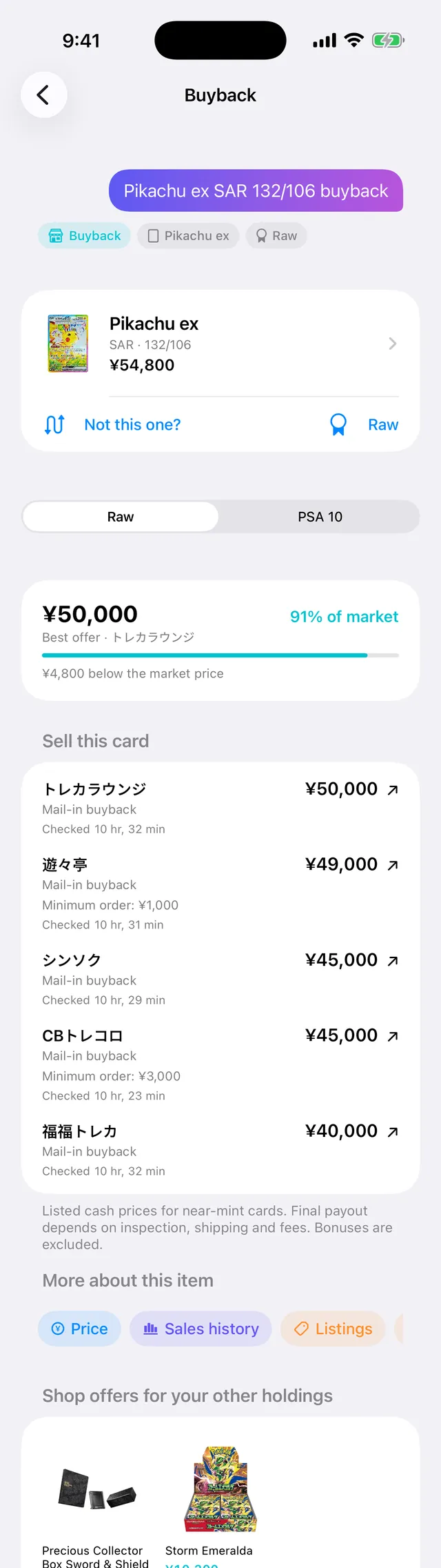
Best offer · トレカラウンジ
¥4,800 below the market price
- トレカラウンジMail-in buyback ¥50,000
- 遊々亭Mail-in buyback ¥49,000
- CBトレコロMail-in buyback ¥45,000
- シンソクMail-in buyback ¥45,000
- 福福トレカMail-in buyback ¥40,000
As shown in the app on October 13.
Shop offers, side by side.
Pick a card and every shop quoting it lines up, highest offer first.
-
Best offer, against the market
The highest offer and how much of the market price it is. When a shop pays above market, you see that too.
-
Shops, highest first
Five shops quote this card today. They line up from the best offer down.
-
Mail-in or in-store, with the terms
Mail-in or in-store, the minimum order, and when each price was last checked.
-
Tap through to the shop
Found your price? Tap it and the shop's own buyback page opens.
No ads. Every price, sourced.
Price alone sets the order. Every offer links to where it was published, and offers checked more than 24 hours ago are hidden.
No ads
No ads in the app or on the site. Shops can't pay to move up: offers are sorted by price alone.
Last 24 hours only
Offers are checked twice a day and hidden 24 hours after they were checked. Each one shows when it was checked.
Linked to the source
Every offer links to its source: the shop's buyback page or price list, or the exact X image the price was read from. Check it yourself.
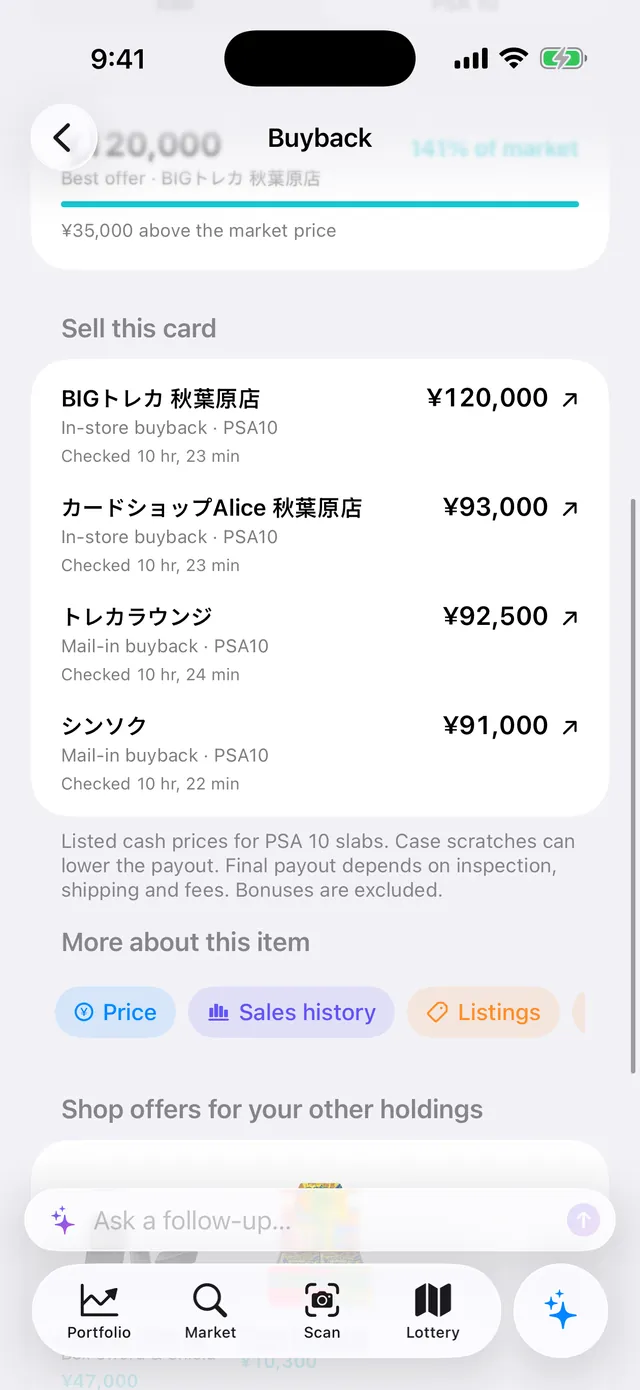
PSA 10 slabs. In-store offers.
Graded copies get PSA 10 shop offers, including in-store buyback at shops in Akihabara.
141%
best offer vs market price
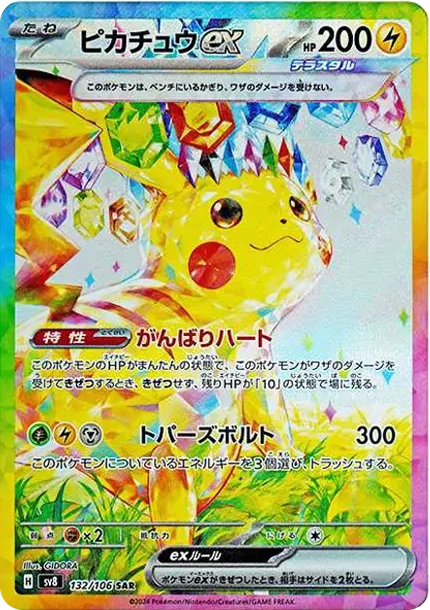
Pikachu ex SAR PSA 10: ¥120,000 in store at an Akihabara shop, as shown on October 13.
Raw or PSA 10 in one tap
Switch any card between raw and PSA 10 offers.
In-store offers, labeled
In-store prices say so, so you can tell them from mail-in offers at a glance.
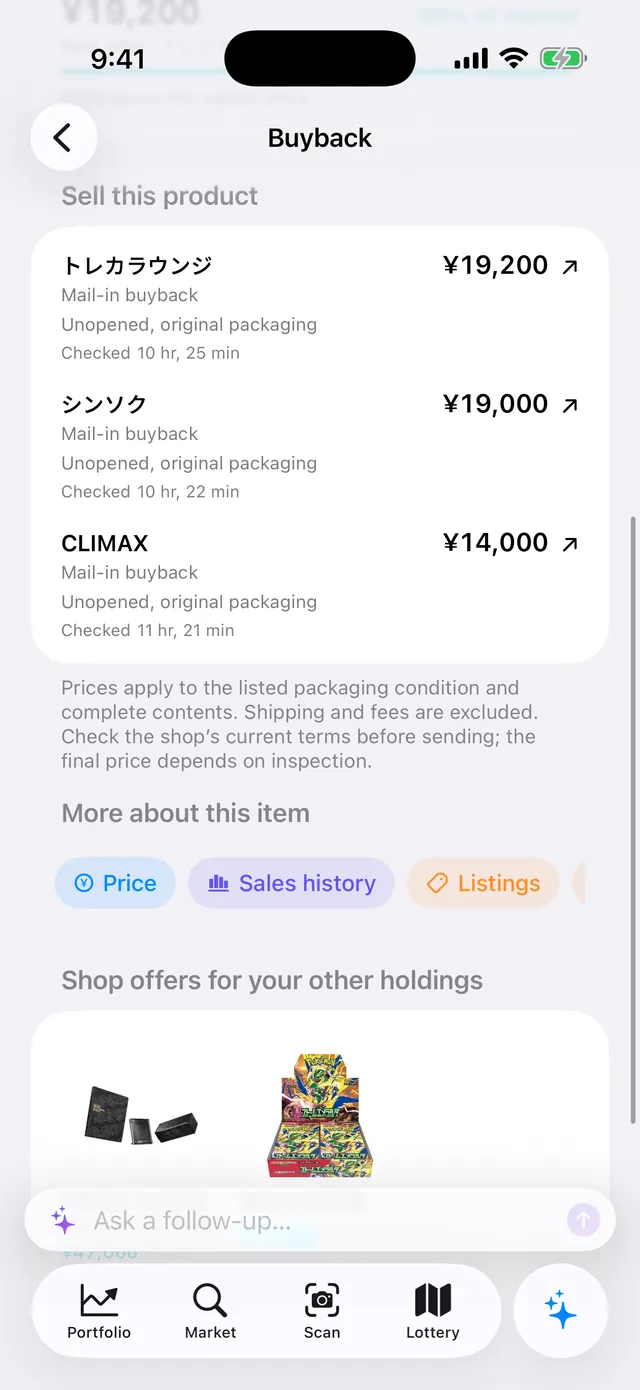
Sealed boxes, compared too.
Shop offers for boxes and packs, with the packaging terms each shop sets, like shrink wrap or original packaging.
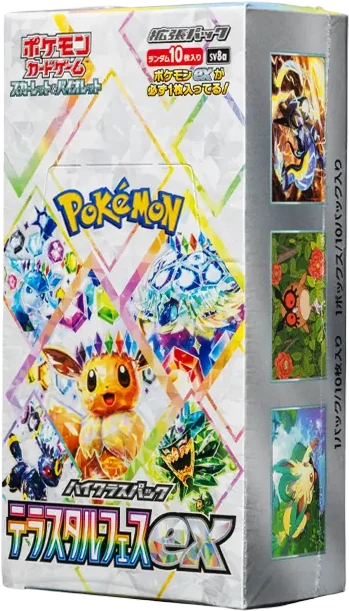
Terastal Festival ex box Best offer ¥19,200 98% of market
What would everything fetch?
What shops would pay for your cards and sealed products right now, and which shops to sell them to: your whole collection, checked at once.
Buyback value
¥57,300
88% of marketExample with 2 holdings
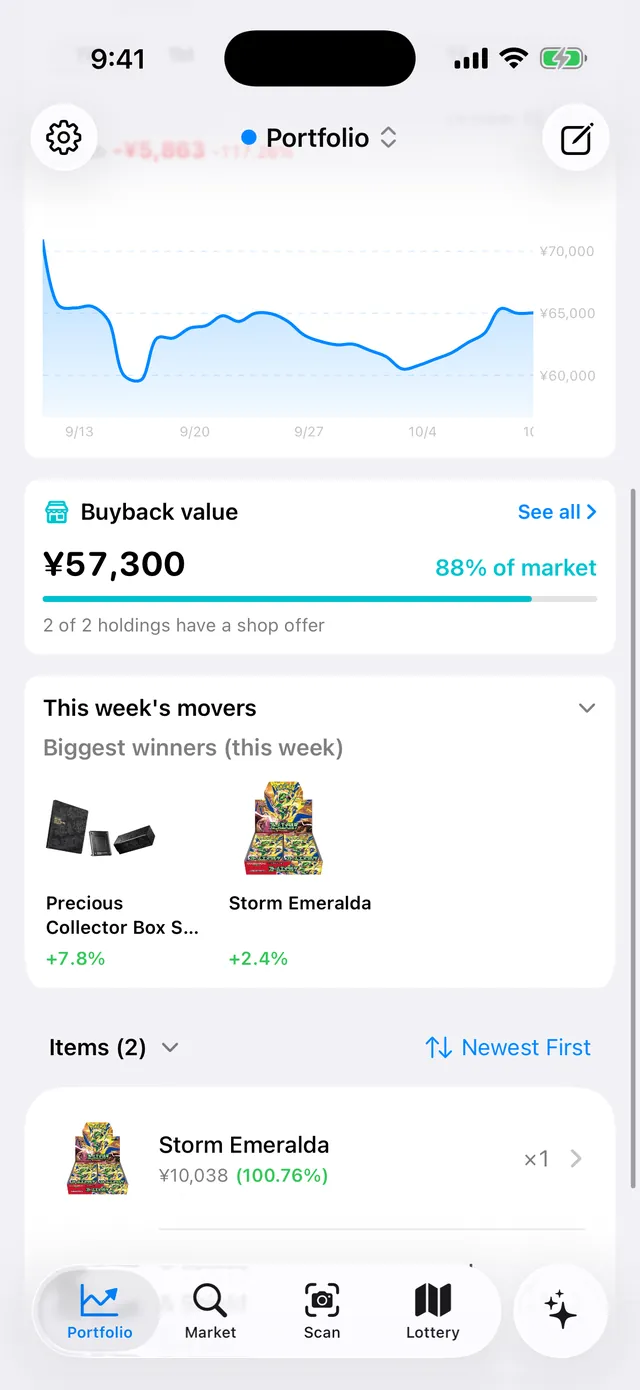
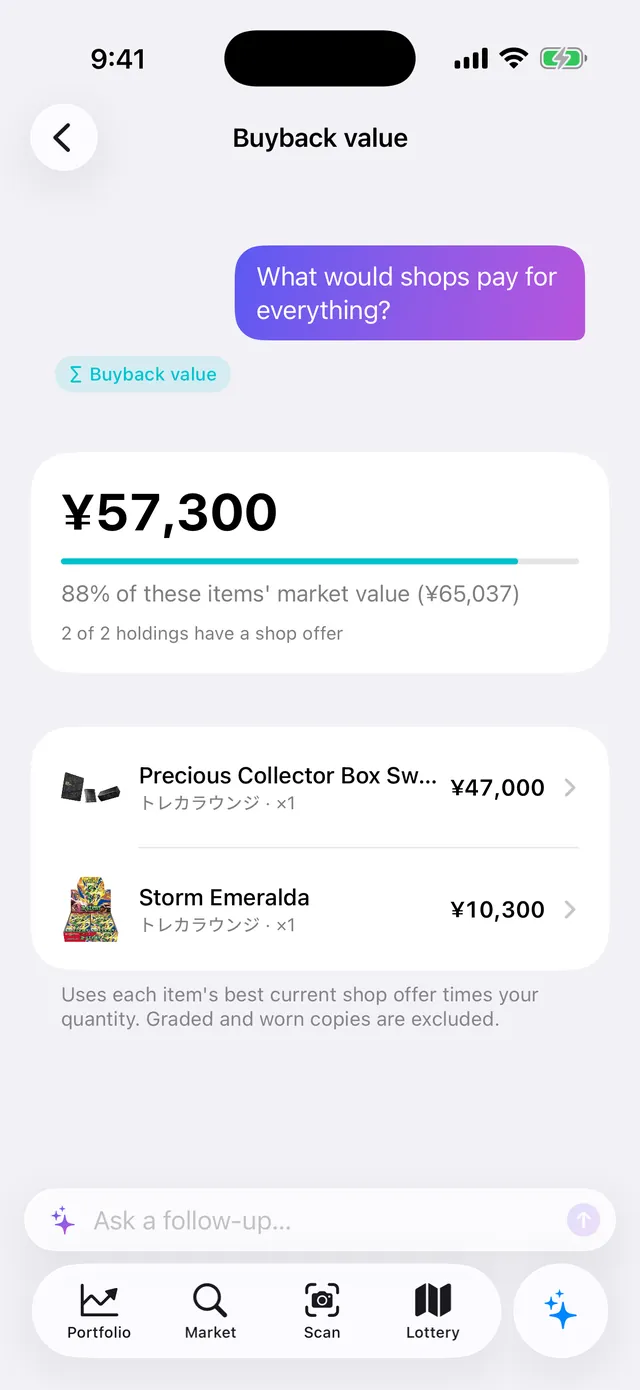
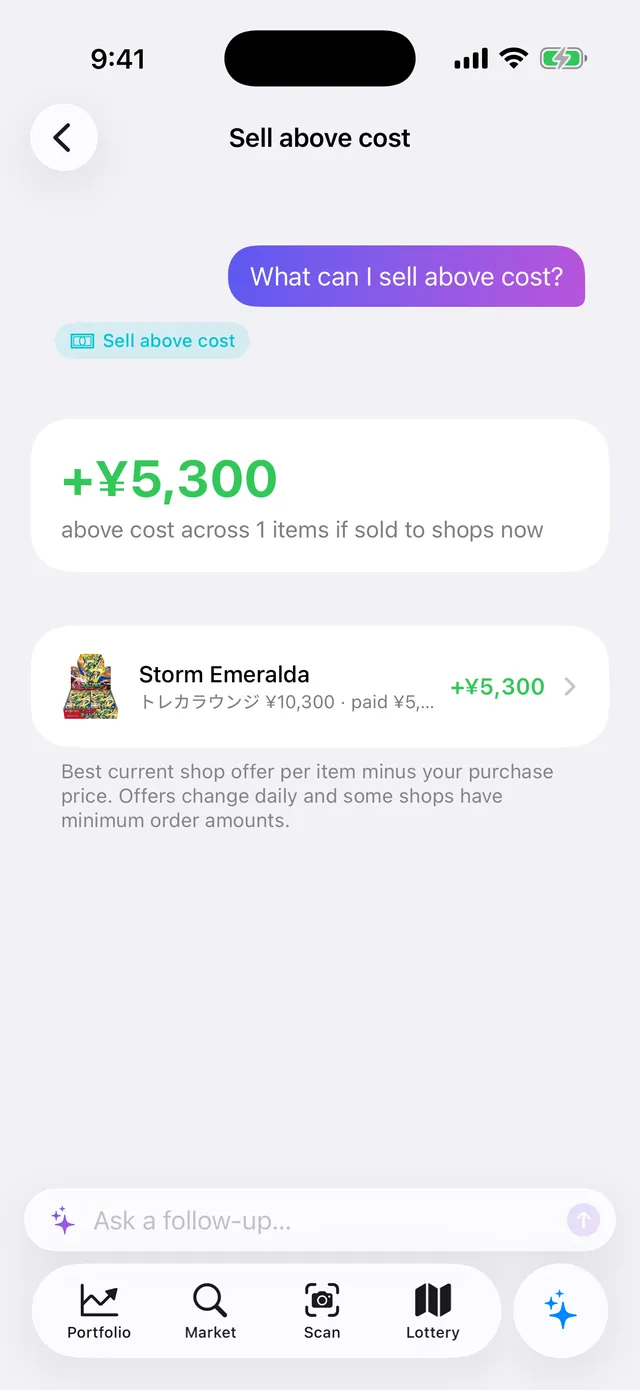
Buyback value
Each item's best current offer times your quantity. PSA 9 and lower slabs and worn copies are left out.
Where to sell, all at once
Each item goes to the shop paying most, grouped into a sell plan with as few shops as possible.
Sell above cost
Items a shop would buy for more than you paid, with the difference.
The big shops, twice a day.
From the big mail-in shops to in-store counters in Akihabara and shops that post their buy lists on X. Offers are checked twice a day, and only fresh ones are shown.
-
2× a day
Every offer is checked
-
24hours
Older offers are hidden
-
0yen
Comparing offers per card or sealed product is free
Or just ask.
Ask on the Today tab for any card's offers or your total buyback value. Siri answers too.
- “Best shop offers in Pokeka”
- “What can I sell in Pokeka”
Reference prices, stated plainly.
Cash reference prices
Listed cash prices for near-mint cards. The final payout depends on each shop's inspection, shipping and fees, and excludes bonuses.
Shops vary by card
Shops that don't quote a card aren't listed, so the shops you see change from card to card.
You sell to the shop
Pokeka Tracker doesn't buy cards. Orders and shipping happen on each shop's own page.
Questions
Which shops does Pokeka compare?
The big Japanese mail-in buyback shops, in-store counters in Akihabara, and shops that publish their buy lists on X. Which shops quote a card varies by card.
How often are prices updated?
Every shop is checked twice a day. Offers more than 24 hours old are hidden, so stale prices never linger.
Can shops pay to be listed higher?
No. There are no ads in the app or on the site, and offers are sorted by price alone. Shops can't pay to change the order.
Can I check where a price comes from?
Yes. Every offer links to its source: tap it to open the shop's buyback page or price list, or the X image the price was read from. Each offer also shows when it was checked.
Can I see PSA 10 offers?
Yes. Each card switches between raw and PSA 10 offers. Shops may pay less for a PSA 10 slab with case scratches.
Are sealed boxes and packs covered?
Yes. Box and pack offers are shown along with each shop's packaging terms, such as shrink wrap or original packaging.
Will a shop always pay the listed price?
No. These are listed cash prices for near-mint copies. The final payout depends on each shop's inspection, shipping and fees, and excludes bonuses. Check the shop's current terms before you send anything.
Can I sell through the app?
Tapping an offer opens that shop's own page. Orders and shipping are handled there.
Is it free?
Yes. Pokeka Tracker is a free iPhone app, and comparing shop offers for each card or sealed product is free.
Before you sell, check Pokeka.
Pokeka Tracker is a free iPhone app. Pick a card and see which shop pays most.